HugoのSEO対策について
【悲報】サイト名 + ブログタイトルで検索しても検索結果に出てこない#
というわけで、SEO対策をする必要がありそう。
サイトのドメイン自体が登録したてだからかもしれないが、できることをやっていく。
対策前のSEOについて#
とりあえず PageSpeed Insights で現状の対策状況を見てみる。
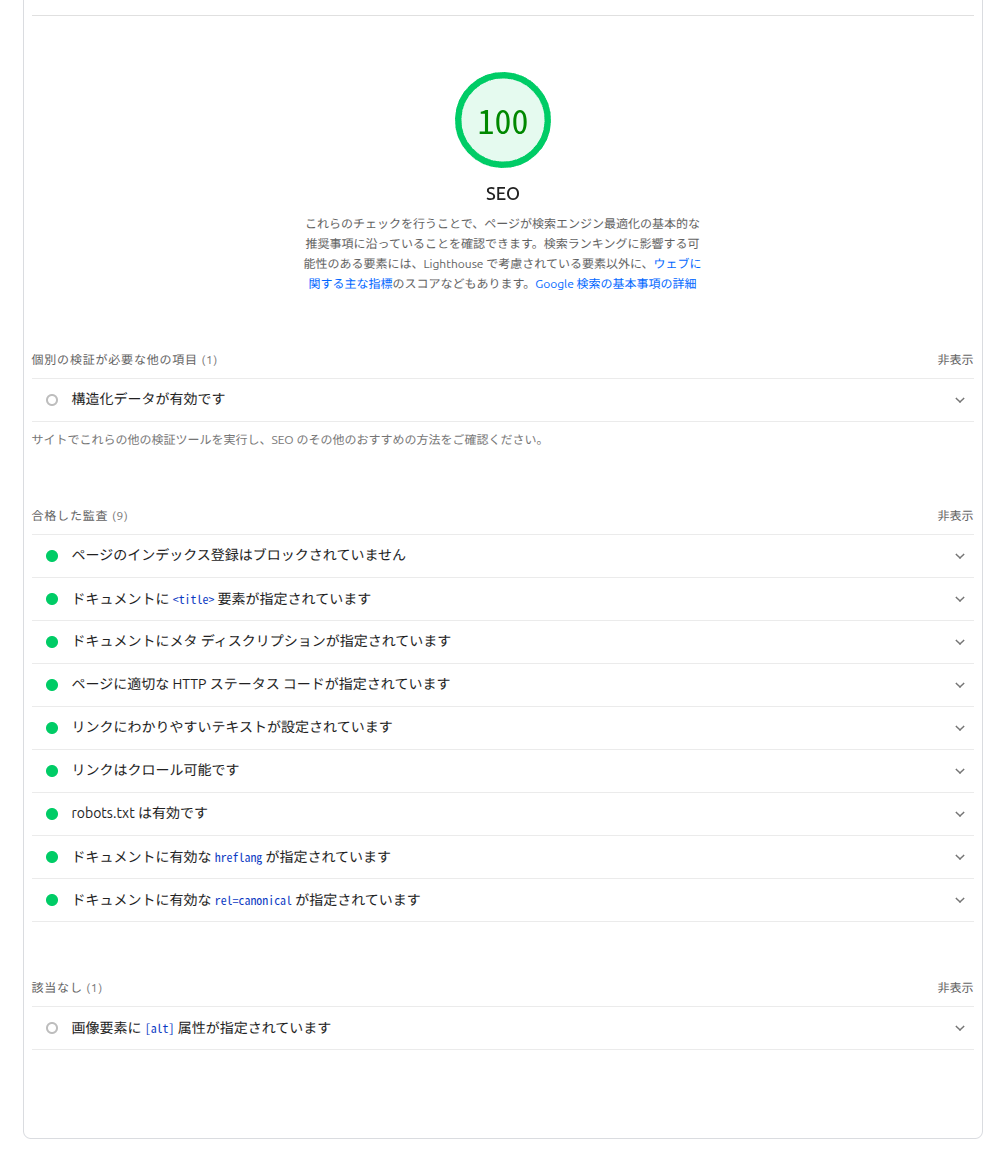
結果的に携帯電話もデスクトップもSEOは100になっている(ほんとぉ??)
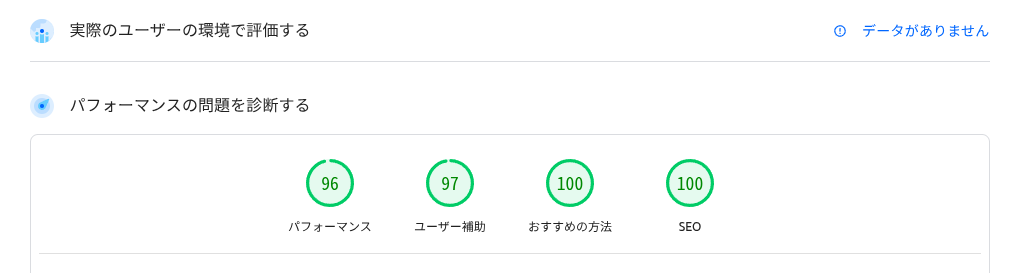
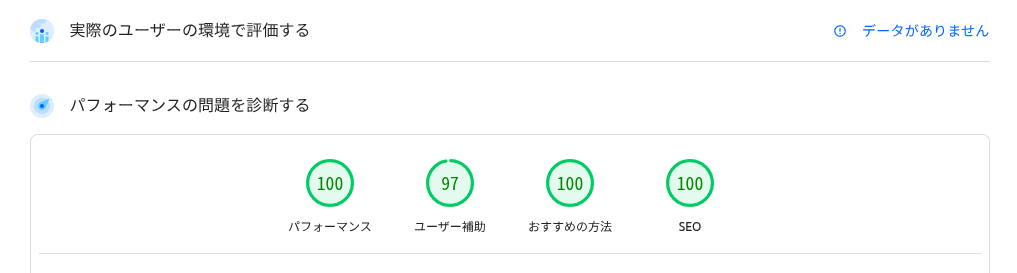
なんだか設定した記憶がないものもパスしているので、色々調査してみる。
記事内での対策#
まず記事内でできる対策としては、メタデータを適切に設定する必要があるらしい。
Hugoの場合はフロントマターでこれらのメターデータを設定できる。
調べて見た限りだと、最低限以下は設定したほうがよさそう。
- description
- categories
- tags
記事以外での対策#
次に記事以外での対策をしてみる。
robots.txt#
Hugoだとデフォルトだと以下の設定になっているらしい。
User-agent: *
これだとほぼ設定していないようなものなので、以下のような設定にしてみる。 本ブログの構成の場合はtagsとcategoriesはクローラーが見ても意味が薄そうなので、除外してみる。(独断と偏見)
User-agent: *
Allow: /about/
Allow: /posts/
Disallow: /tags/
Disallow: /categories/

Sitemap: https://tortoise-tech-blog.lamaglama39.dev/sitemap.xml
Sitemap#
これもデフォルトで生成されるようだが、robots.txtに合わせてカスタマイズしてみる。
tagsとcategoriesは除外しているので、これでaboutと書く記事がSitemapに含まれる。
{{ printf "<?xml version=\"1.0\" encoding=\"utf-8\" standalone=\"yes\"?>" | safeHTML }}
<urlset xmlns="http://www.sitemaps.org/schemas/sitemap/0.9"
  xmlns:xhtml="http://www.w3.org/1999/xhtml">
  {{- range .Data.Pages -}}
    {{- if not (or (in .Permalink "/tags/") (in .Permalink "/categories/") ) }}
  <url>
    <loc>{{ .Permalink }}</loc>{{ if not .Lastmod.IsZero }}
    <lastmod>{{ .Lastmod.Format "2006-01-02T15:04:05-07:00" }}</lastmod>{{ end }}{{ with .Sitemap.ChangeFreq }}
    <changefreq>{{ . }}</changefreq>{{ end }}{{ if ge .Sitemap.Priority 0.0 }}
    <priority>{{ .Sitemap.Priority }}</priority>{{ end }}
  </url>
    {{- end -}}
  {{- end }}
</urlset>
JSON-LD#
次にPageSpeed InsightsでおすすめされていたJSON-LD。 私もよく知らなかったのだが、 これが何かというと「Headタグの中にJSON-LDの規格に沿ったJSONオブジェクトを埋め込んだもの」らしい。
どれぐらい効果があるのかイマイチわからないが、Googleもおすすめしているようなので、やってみる。
やることとしては、テンプレートとして以下を用意してあげるだけで、構成は以下のBlogPostingを参考にしてみた。
記事ページ用とホーム用、また全ページ共通のパンくずリスト用を用意してみた。
<!-- BlogPosting (記事ページ) -->
{{ if .IsPage }}
<script type="application/ld+json">
{
  "@context": "https://schema.org",
  "@type": "BlogPosting",
  "headline": "{{ .Title }}",
  "description": "{{ with .Description }}{{ . | plainify }}{{ else }}{{ .Summary | plainify }}{{ end }}",
  "author": {
    "@type": "Person",
    "name": "{{ with .Params.Author }}{{ . }}{{ else }}{{ $.Site.Params.author }}{{ end }}"
  },
  "datePublished": "{{ .Date.Format "2006-01-02T15:04:05Z07:00" }}",
  {{ if ne .Date .Lastmod }}"dateModified": "{{ .Lastmod.Format "2006-01-02T15:04:05Z07:00" }}",{{ end }}
  "publisher": {
    "@type": "Organization",
    "name": "{{ $.Site.Title }}",
    "logo": {
      "@type": "ImageObject",
      "url": "{{ "og-image.png" | absURL }}"
    }
  },
  "mainEntityOfPage": {
    "@type": "WebPage",
    "@id": "{{ .Permalink }}"
  },
  "image": "{{ with .Params.cover }}{{ . | absURL }}{{ else }}{{ "og-image.png" | absURL }}{{ end }}"
  {{ with .Params.categories }},"articleSection": [{{ range $index, $category := . }}{{ if $index }}, {{ end }}"{{ $category }}"{{ end }}]{{ end }}
}
</script>
{{ end }}

<!-- WebSite (トップページ) -->
{{ if .IsHome }}
<script type="application/ld+json">
{
  "@context": "https://schema.org",
  "@type": "WebSite",
  "name": "{{ .Site.Title }}",
  "url": "{{ .Site.BaseURL }}",
  "description": "{{ .Site.Params.description }}",
  "publisher": {
    "@type": "Organization",
    "name": "{{ .Site.Title }}",
    "logo": {
      "@type": "ImageObject",
      "url": "{{ "og-image.png" | absURL }}"
    }
  }
}
</script>
{{ end }}

<!-- BreadcrumbList (全ページ) -->
{{ if not .IsHome }}
<script type="application/ld+json">
{
  "@context": "https://schema.org",
  "@type": "BreadcrumbList",
  "itemListElement": [
    {
      "@type": "ListItem",
      "position": 1,
      "name": "ホーム",
      "item": "{{ .Site.BaseURL }}"
    }{{ if .IsPage }},
    {
      "@type": "ListItem",
      "position": 2,
      "name": "{{ .Title }}",
      "item": "{{ .Permalink }}"
    }{{ end }}
  ]
}
</script>
{{ end }}
Google Search Console 登録#
ここまでの対策をデプロイして開発者コンソールから見たところ、反映されていることが確認できた。 なので最後にGoogle Search Consoleで登録してみる。
URLプレフィックスでサイトのURLを入力する。
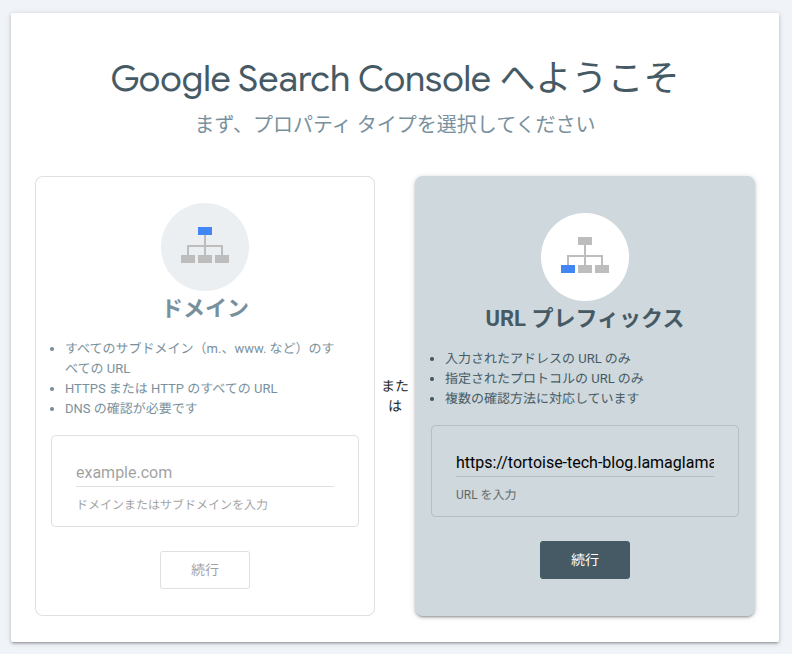
所有権の確認が必要らしいので、 HTMLファイルをダウンロードしてstatic配下に置いてデプロイする。
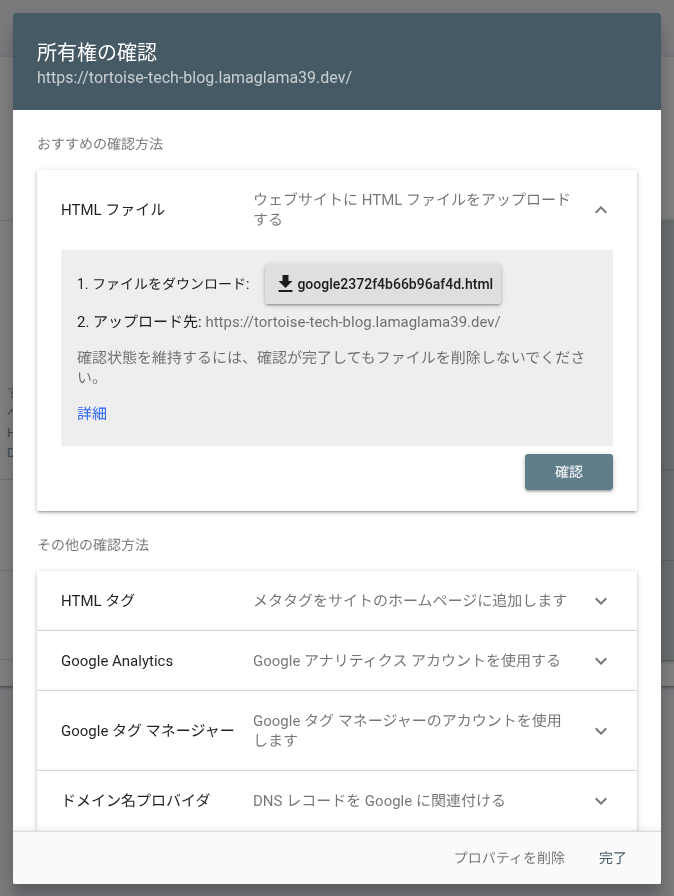
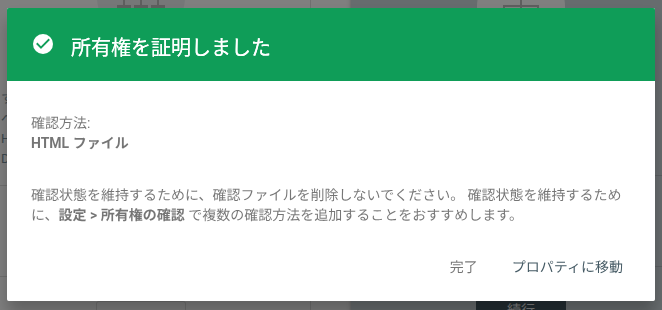
デプロイ後に確認をクリックしたところ、正常に証明できたみたい。
最後にサイトマップを登録しておく。
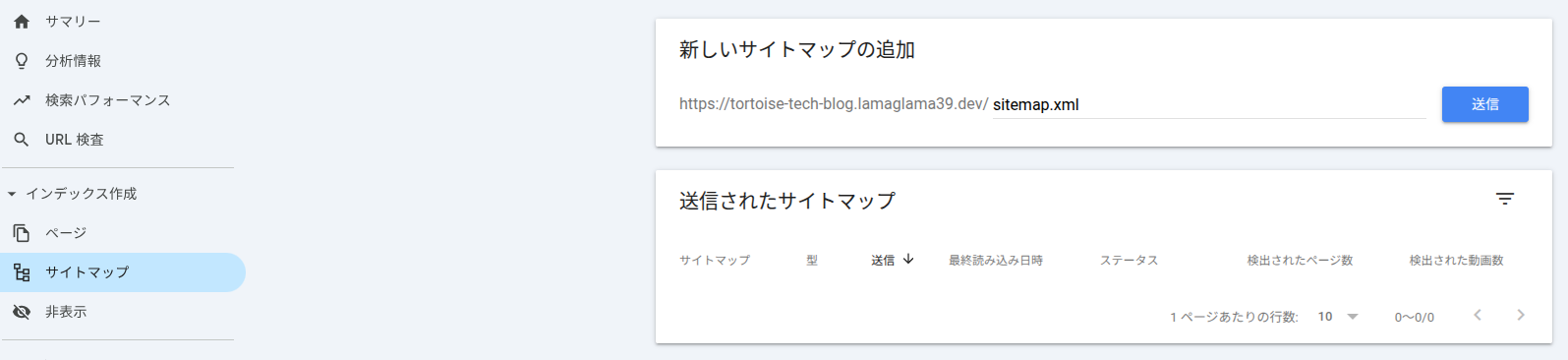
サイトマップのURLを送信してステータスが「成功しました」になればOK。

反映まで最低1日はかかりそうなので、後日また確認してみる。